Doing service projects together is one way that Scouts keep their promise “to help other people.” While a Scout should do his best to help other people every day, a group service project is a bigger way to help people. While you’re giving service, you’re learning to work together with others to do something that’s good for your community.
Service Hour Reporting
With the adoption of ScoutBook and Internet Advancement, you can record service hours through the online applications that you already use regularly. Reporting service hours not only helps Scouting highlight the contributions that your Scouts and families are making to the community, but it also helps ensure that your unit’s records accurately reflect the involvement and engagement of your members. Check out the link below to learn more about how to enter service hours using Scouting online tools.
Steps to Report Community Service
1. Complete a Unit or Individual Community Service Project
Units can create service activity opportunities where members can engage in service to the community or individuals can complete service projects on their own with unit leadership approval. When completed individually, a signed document from the benefitting organization is required.
2. Report Unit or Individual Community Service


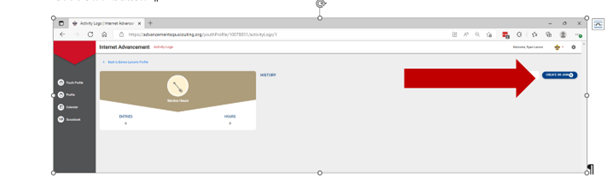
Thus, once the Scoutmaster clicks “approve” the information is filled in.
